The Architecture of Visual Intelligence
Data visualization is the cognitive bridge between raw computational power and human intuition. While a standard SQL query might return 10,000 rows of transactional data, a well-constructed heat map or Sankey diagram reveals the "why" behind the numbers instantly. In a professional context, visualization isn't about making data look "pretty"; it is about reducing the time-to-insight (TTI).
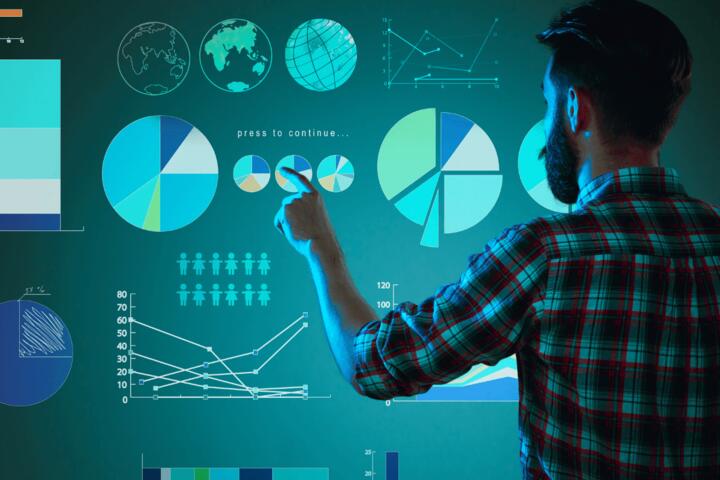
Consider a global logistics provider managing 500 distribution centers. Looking at a spreadsheet of delay percentages is tedious and error-prone. However, a geospatial dashboard using Mapbox or ArcGIS can highlight a cluster of red nodes in Northern Europe, immediately signaling a localized weather event or regional labor strike. This immediate spatial awareness allows a CEO to reroute shipments before customers even realize there is a problem.
According to a study by the Wharton School of Business, visual presentations can shorten business meetings by up to 24%. Furthermore, managers in organizations with advanced visual analytics are 28% more likely to find timely information than those who rely solely on managed reporting. These aren't just aesthetic improvements; they are quantifiable gains in organizational velocity.
Critical Failures in Data Presentation
The most common mistake in corporate environments is the "Information Dump." This occurs when analysts provide stakeholders with every available metric rather than a curated narrative. When a dashboard contains 15 different widgets, the viewer's cognitive load spikes, leading to decision fatigue. If a VP of Sales has to hunt for the North American churn rate amidst 50 other KPIs, the visualization has failed its primary purpose.
Another frequent pain point is the "Misleading Scale" or "Chart Junk." Using 3D pie charts or non-zero baselines on bar graphs can distort reality, leading to catastrophic strategic errors. For instance, a truncated Y-axis might make a 2% growth look like a 200% surge, causing an executive to over-invest in a stagnant product line.
In real-world scenarios, poor visualization often stems from a lack of "Data Democracy." When tools are too complex, only the IT department can build reports. This creates a bottleneck where decision-makers wait weeks for a dashboard update, by which time the market opportunity has vanished. Companies like Knight Capital Group famously lost $440 million in 45 minutes due to automated trading errors that weren't caught in time because their monitoring visualizations were insufficient for the scale of the data being processed.
Strategic Solutions for Enhanced Insight
To move from data-heavy to data-driven, organizations must implement a tiered visualization strategy that matches the tool to the specific user’s intent.
Adopt Modern BI Ecosystems
Shift from static Excel reports to interactive platforms like Tableau, Power BI, or Looker. These tools allow for "drill-down" capabilities. If an executive sees a dip in revenue, they should be able to click that data point to see the specific region, product, and salesperson responsible.
-
Result: A 40% reduction in follow-up emails asking for "more detail," as the detail is already embedded in the visual layer.
Implement Real-Time Stream Visualization
For operational decisions, use tools like Grafana or Datadog. These are designed for high-velocity data. In a fintech environment, seeing a spike in failed transactions on a real-time line graph allows DevOps teams to rollback a faulty deployment within seconds.
-
Method: Connect your visualization layer directly to Kafka or Amazon Kinesis streams rather than a batch-processed data warehouse.
Standardize Visual Language
Use a consistent color palette across all corporate reports (e.g., Red always means "Below Target," Green always means "Exceeding Target"). This builds muscle memory. When a board of directors looks at a deck, they shouldn't spend the first five minutes learning how to read the charts.
-
Tooling: Use Figma to create a "Visualization Design System" that your BI team must follow.
Leverage Augmented Analytics
Incorporate AI-driven tools like ThoughtSpot or Qlik Sense that use natural language processing (NLP). This allows a non-technical manager to type "Why did California sales drop in Q3?" and receive a generated waterfall chart explaining the variance.
-
Impact: This decentralizes expertise, moving the power of data from a central "Ivory Tower" to the front-line managers.
Practical Business Cases
Case 1: Retail Inventory Optimization
A mid-sized apparel retailer was struggling with overstocking seasonal items, leading to $2 million in annual liquidations. They implemented a custom dashboard using Power BI integrated with their ERP (SAP).
-
Action: They moved from monthly reports to a daily "Inventory Velocity" scatter plot. This identified products that had high views on the website but low conversion in physical stores.
-
Result: The company reduced excess inventory by 18% within six months, saving $360,000 in storage and markdown costs.
Case 2: Healthcare Patient Flow
A metropolitan hospital system used Tableau to visualize patient throughput in the Emergency Room.
-
Action: By mapping the "Time to Triage" against staff scheduling, they identified that bottlenecks weren't caused by a lack of doctors, but by a 30-minute lag in room cleaning turnarounds.
-
Result: By adjusting the janitorial schedule based on the visual heat map of peak arrivals, they reduced average patient wait times by 22 minutes.
Comparison of Professional Analytics Platforms
| Feature | Tableau | Power BI | Looker (Google Cloud) | Grafana |
| Primary Use | Deep Data Exploration | Corporate Reporting | Integrated Data Modeling | Infrastructure Monitoring |
| Best For | Data Scientists / Power Users | Office 365 Organizations | Tech-forward / SQL-heavy teams | Real-time DevOps / IoT |
| Learning Curve | High | Medium | Medium-High | Medium |
| Data Connection | Excellent (Hundreds of sources) | Strongest with Azure/Excel | Direct to BigQuery/Snowflake | Time-series databases (Prometheus) |
| Collaboration | Robust (Tableau Server) | Seamless (Teams/Sharepoint) | Browser-based / Git-integrated | Dashboard sharing / Alerts |
Navigating Common Visualization Pitfalls
One of the most dangerous traps is the "Correlation implies Causation" fallacy in visuals. If a dashboard shows an increase in marketing spend alongside an increase in sales, it is tempting to assume the ads drove the sales. However, the visual might be hiding a third factor, like a seasonal holiday. To avoid this, always include a "Control" or "Baseline" visual for comparison.
Avoid using too many "Gauges." While a speedometer-style gauge looks impressive, it occupies significant screen real estate while conveying only a single data point. Instead, use "Sparklines"—tiny, high-density line graphs—to show the trend of a metric over time in a very small space.
Don't ignore the mobile experience. Many executives check their data on iPads or phones between meetings. A dashboard that looks great on a 27-inch monitor is often unreadable on a mobile device. Always design with a "Mobile-First" or "Responsive" layout in mind using tools like Domo, which excels at mobile-native visualization.
FAQ
Which tool is best for a small startup on a budget?
Google Looker Studio (formerly Data Studio) is an excellent entry point. It is free, integrates natively with Google Ads and Analytics, and allows for easy sharing via links. As you scale, you can migrate to more robust paid solutions.
How do I choose between a bar chart and a line chart?
Use bar charts for comparing discrete categories (e.g., Sales by Region). Use line charts for showing continuous data over time (e.g., Revenue per Month). If you are showing the relationship between two variables, a scatter plot is the standard choice.
What is the "Five-Second Rule" in visualization?
A stakeholder should be able to understand the core message of a chart within five seconds. If it takes longer to figure out what the axes represent or what the colors mean, the visualization needs to be simplified.
Can visualization help with predictive decision-making?
Yes. Modern tools allow you to add "Trend Lines" and "Forecast Shaded Areas" based on historical averages. While not a crystal ball, it helps executives see where the business is headed if the current trajectory continues.
Should I use "Dark Mode" for my corporate dashboards?
Dark mode is excellent for high-contrast monitoring in low-light environments (like an IT Operations Center), but for standard business reports that might be printed or viewed in bright offices, a light background with high-contrast text is generally more accessible.
Author's Insight
In my years consulting for Fortune 500 firms, the biggest "aha!" moments never came from a complex algorithm, but from a simple change in perspective. I once saw a logistics firm save millions just by switching from a table of shipping costs to a map where the thickness of the lines represented the cost per mile. They immediately saw that their "efficient" routes were actually massive money-wasters. My advice: stop trying to be clever with your charts and start being clear. If your dashboard doesn't prompt an immediate question or action, it’s just digital wallpaper.
Conclusion
Effective data visualization is the difference between guessing and knowing. By moving away from cluttered, static reporting and embracing interactive, real-time ecosystems like Tableau or Power BI, organizations can unlock a level of agility that was previously impossible. Focus on reducing cognitive load, standardizing your visual language, and ensuring your data tells a clear, honest story. Your next step should be an audit of your most-used internal report: remove three unnecessary metrics and see if the core message becomes clearer.